




CD-Burn.DDP.Master
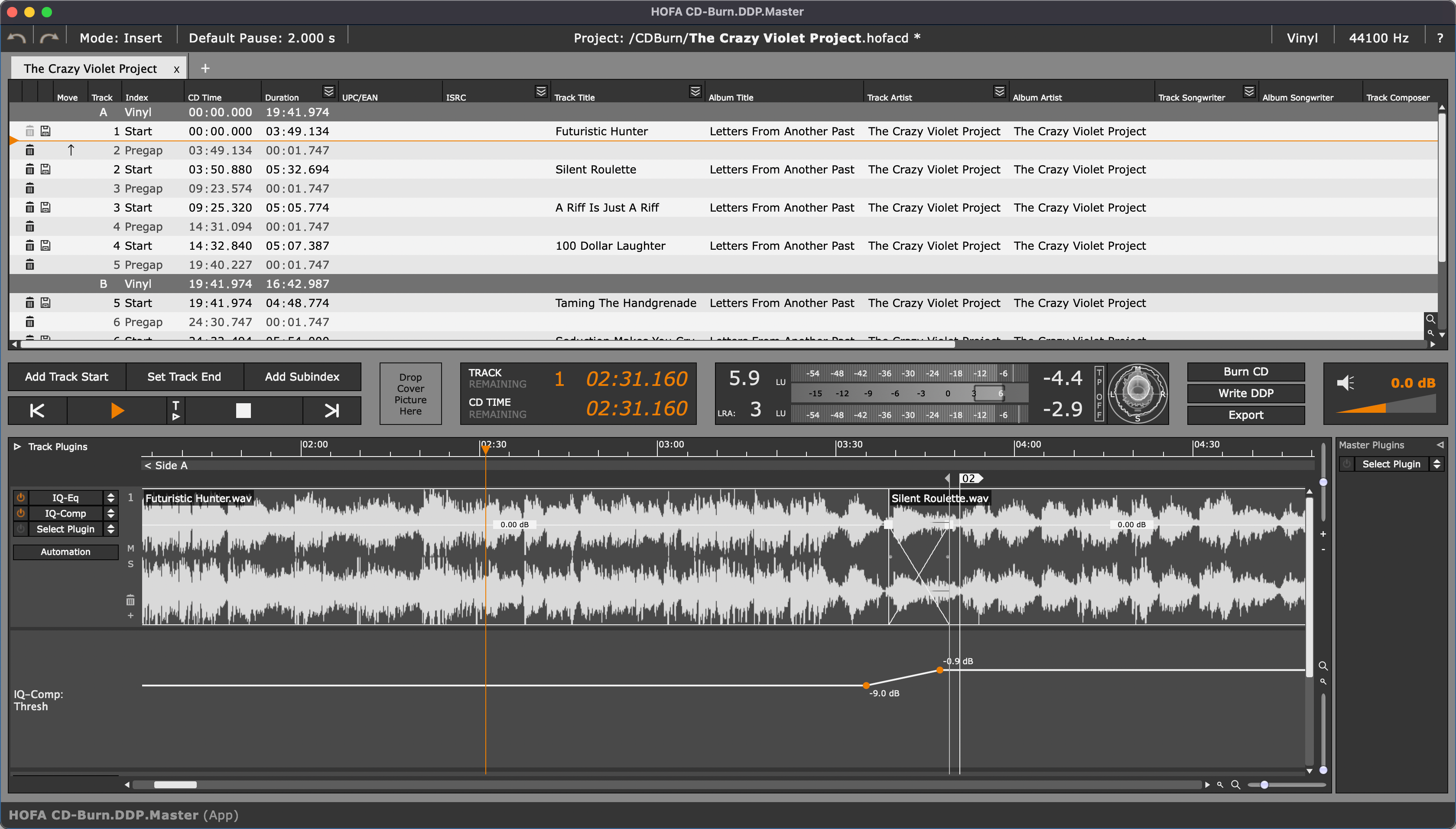
- Easy mastering for CD, DDP, vinyl and online distribution in one project
- Mastering for all relevant formats in one project
- Create Red Book audio CDs and DDP images
- All HOFA plugins can be used in CD-Burn.DDP.Master (App) for free
Review Professional Audio
„HOFA offers with CD-Burn.DDP.Master a full mastering software at a sensational price. The fact that the complete plug-ins of HOFA are available for editing makes CD-Burn.DDP.Master a great tool, which you can use for the distribution of your own productions as well as the editing of your audio archive.“
(Pre-)Mastering Made Easy
DDP creation & professional mastering made easy
HOFA CD-Burn.DDP.Master (App) is the ultimate tool for all mastering and pre-mastering tasks.
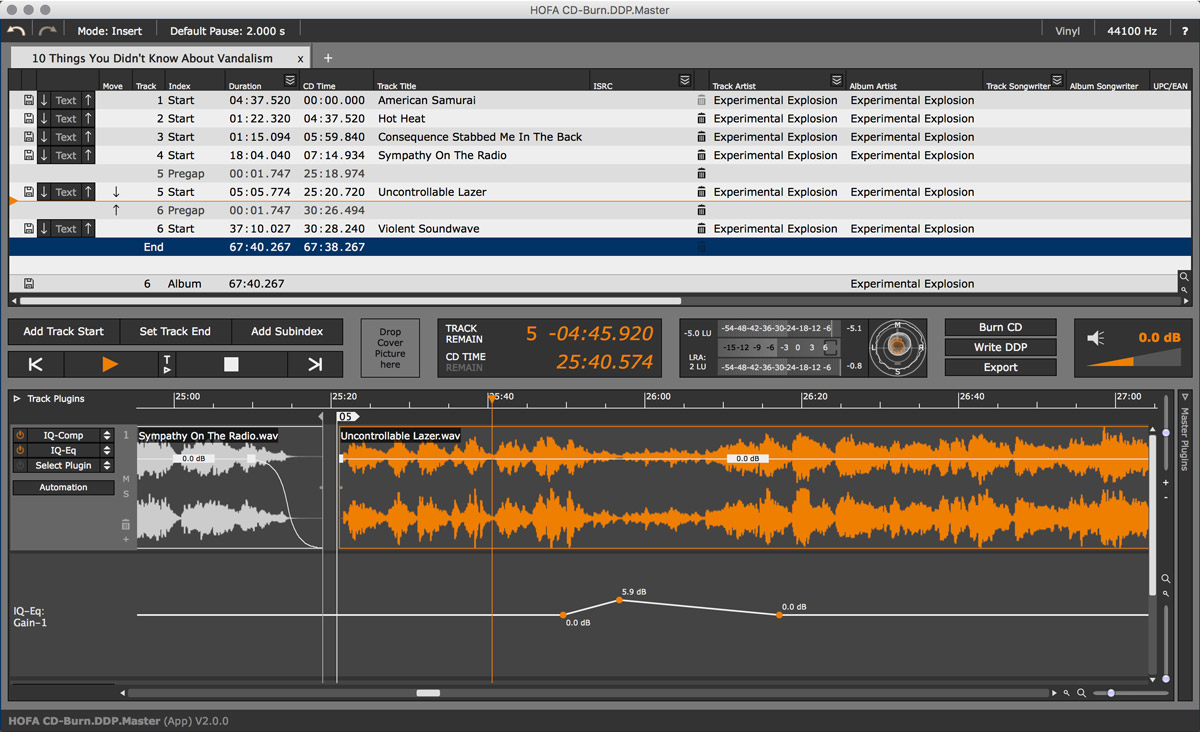
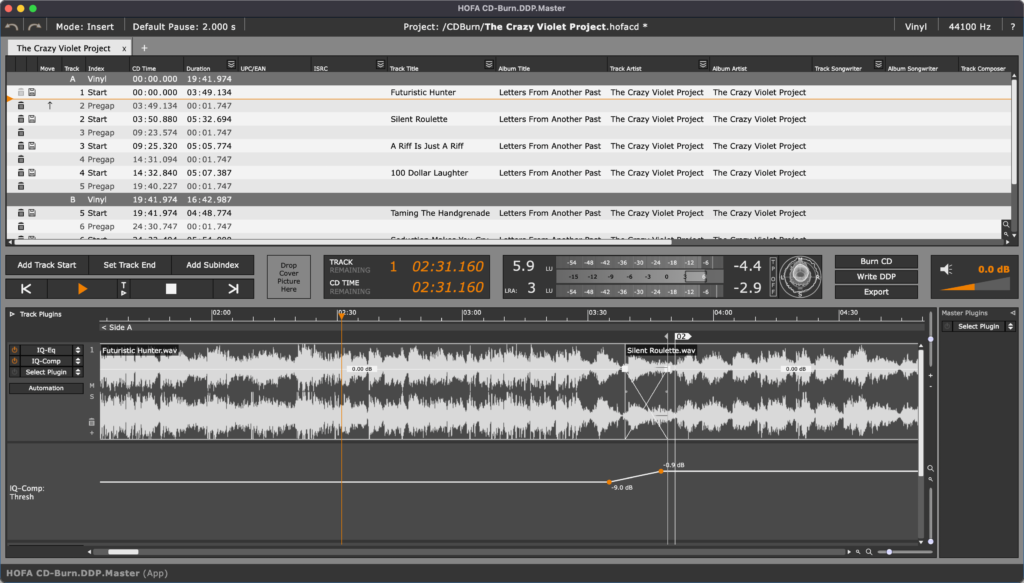
Import your audio files to edit them, set fade-ins and fade-outs and apply crossfades. Use the included HOFA plugins for high-quality audio processing (not available in the LE version). Use the Tag Editor to add track titles, artist and album information. Professional ISRC and EAN codes are supported.
Once you’re happy with your processing, you can export your project in various formats. Burn a CD, export a DDP image, export for vinyl, export WAV, AIFF, MP3 and much more.
Product Comparison
| CD-Burn.DDP.Master PRO | CD-Burn.DDP.Master | CD-Burn.DDP.Master LE (Mac App Store only) | |
|---|---|---|---|
| Burn Red Book Audio CDs | Ja⬤ | Ja⬤ | Ja⬤ |
| Import Audio CDs | Ja⬤ | Ja⬤ | Ja⬤ |
| Create DDP Images | Ja⬤ | Ja⬤ | Ja⬤ |
| Mastering for vinyl | Ja⬤ | Ja⬤ | Ja⬤ |
| Free use of all HOFA plugins within CD-Burn | Ja⬤ | Ja⬤ | |
| Insert third-party VST3 and AU plugins | Ja⬤ | ||
| Plugin chain presets | Ja⬤ | ||
| Clip based plugin processing | Ja⬤ | ||
| Arranging files during import | Ja⬤ | ||
| Dithering | Internal & third-party plugins | Internal | Internal |
| True Peak normalization | Ja⬤ | ||
| Automation | Ja⬤ | Ja⬤ | |
| Clip processing (editing, fades, crossfades) | Ja⬤ | Ja⬤ | Ja⬤ |
| Metadata | CD text, ISRC, EAN, additional ID3 tags | CD text, ISRC, EAN | CD text, ISRC, EAN |
| Audio export with metadata | Advanced | Basic | Basic |
| Customisable PQ Sheets | PDF, CSV | ||
| Multi CD projects | Ja⬤ | Ja⬤ | Ja⬤ |
| Multi Session CDs | Ja⬤ | Ja⬤ | Ja⬤ |
| DDP Player Maker connection | Ja⬤ | Ja⬤ | |
| Available in the Mac App Store | ⬤ | ||
| Price |
169,90 €
incl. VAT
|
89,90 €
incl. VAT
|
79,99 € Available in the Mac App Store |
| Upgrade price |
99,90 €
incl. VAT
for owners of HOFA CD-Burn DDP-Master (App)
|
39,90 €
incl. VAT
for owners of CD-Burn & DDP V1 (Standalone)
|
|
| Included in | Everything Bundle
CD- & DDP-Bundle |
Clip Editing
Editing
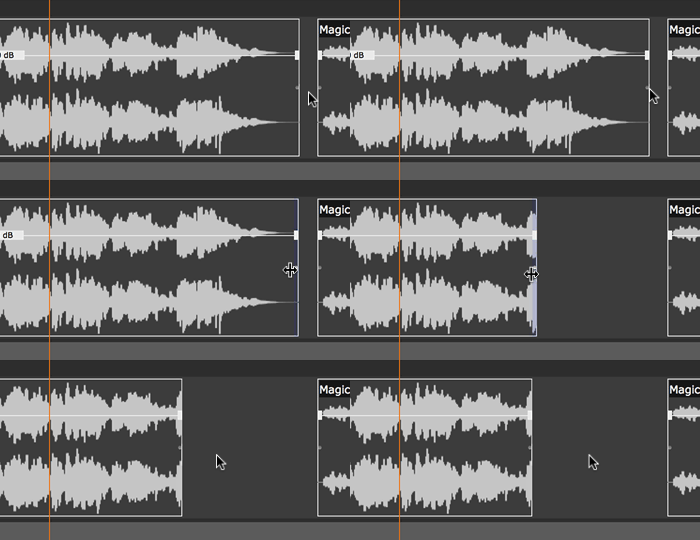
Cut and trim your audio clips as you need.
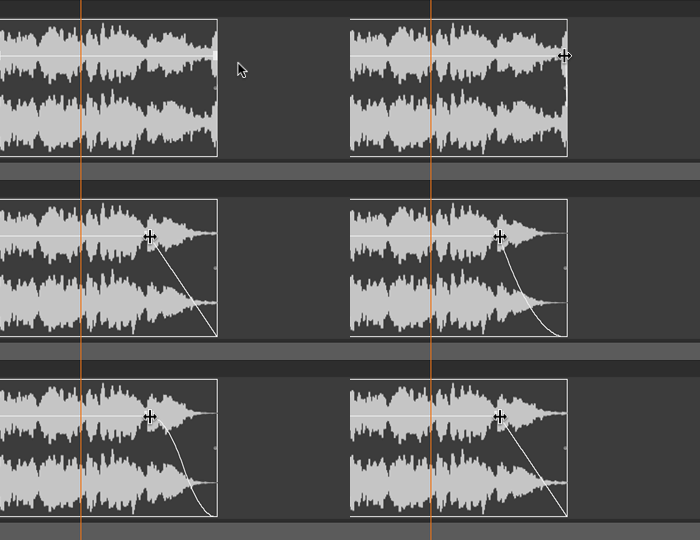
Fades
There are 6 different fade curves for perfect fade-ins and fade-outs.
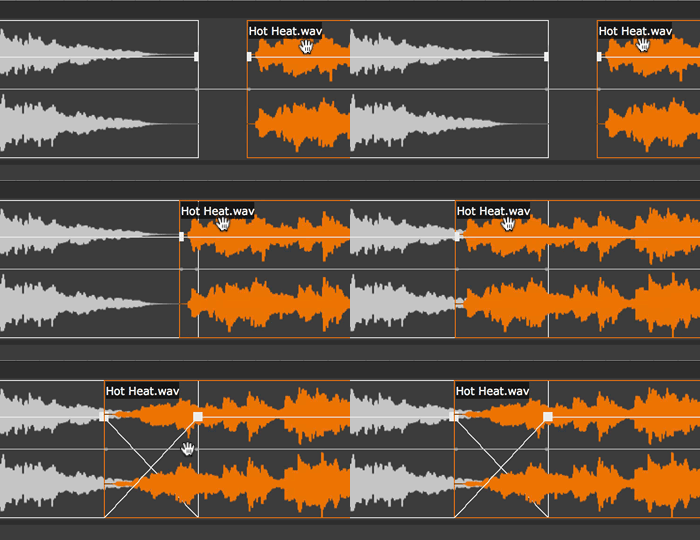
Crossfades
Simply move one clip on top of another to create a crossfade. All 6 fade curves can also be used for crossfades!
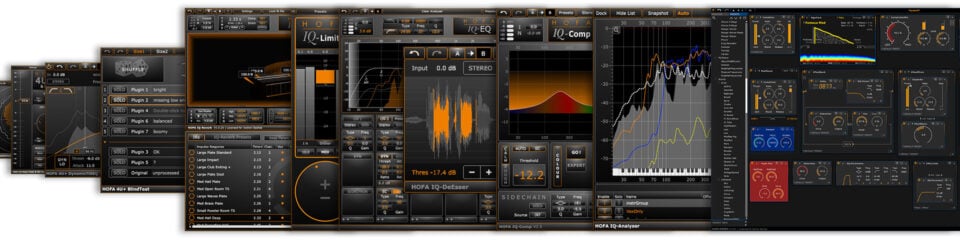
Free use of all HOFA plugins within CD-Burn
All HOFA plugins (total value: €1,000) can be used in the HOFA CD-Burn.DDP.Master (App) at no additional cost. You can process the sound of your master directly in the app. All plugin parameters can be automated.
Please note: This feature is not available in the LE version.
Burn CDs
The CD is still an important medium for music releases. With CD-Burn.DDP.Master you can create and burn Red Book compatible CDs and add additional information like CD-Text, ISRC and EAN codes to the CD.

Create DDPs
A DDP image is a perfect copy of a CD with audio tracks, pauses, CD-Text etc. A checksum ensures the exact data transfer. Most CD these days are sent to the pressing plant as a DDP image. Using CD-Burn.DDP.Master you can create a DDP image with one mouse click that meets all professional standards!
Vinyl
Vinyl records are back in fashion!
CD-Burn.DDP.Master makes it extremely easy to prepare your music for vinyl distribution. Special markers define which tracks go on which side of the record. The predefined maximum length of the vinyl record is checked automatically.

Online Distribution
Online distribution via Spotify, Apple Music, Amazon, etc. is an important part of today’s music distribution. You can export high-resolution audio files (WAV, AIFF, MP3 etc.) with meta data and even prepare an itmsp-package for iTunes directly from CD-Burn.DDP.Master!
Multi-CD Projects
Whether you’re working on a live recording, audio book or other long projects: a single CD is often not enough. With CD markers you can manage any number of CDs in one project and burn as a batch process or export as DDP images..
Multi-Session CDs
Beside the audio tracks, the multi-session feature allows you to store data on a CD that can be read by a computer. This way you can add pictures, videos, lyrics etc. on your CD.
CD-Import
With the new CD import feature you can easily convert an audio CD into a DDP image and edit it in CD-Burn.DDP.Master. Track markers, CD-Text and all other meta data are also transferred (as long as the CD drive supports this.)

Import Wave File Markers
If the imported wave files contain markers, CD-Burn.DDP.Master automatically creates corresponding track masters.
Connection to DDP Player Maker
The connection to HOFA DDP Player Maker lets you create DDP players in record time, so your clients can check the DDP.
Which version of HOFA CD-Burn.DDP.Master do I need?
Do you want to master professionally and get results fast and easy?
HOFA CD-Burn.DDP.Master
- The popular solution for mastering and DDP images
- Free use of all HOFA plugins within CD-Burn
Do you want maximum flexibility for mastering?
HOFA CD-Burn.DDP.Master PRO
- All features of the standard version and additional pro features
- Use the tools you’re used to: now with support for VST3 plugins
- Advanced dithering options and presets for plugin chains
FAQ
What is HOFA CD-Burn.DDP.Master and what is it used for?
HOFA CD-Burn.DDP.Master is a professional mastering and pre-mastering software for macOS and Windows. It provides a complete mastering solution for all relevant release formats within a single project – including Red Book audio CDs, DDP images, vinyl and streaming platforms such as Spotify or Apple Music. In addition, all HOFA plugins, worth over €1,000 in total, are included in the app at no extra cost.
What is it used for?
The software performs the final stage of the production process (mastering) and handles the following tasks:
- Creating DDP images: The main function is to write DDP (Disc Description Protocol) images, which can be sent directly to CD pressing plants as perfect digital masters.
- Burning CDs: This allows you to burn audio CDs in accordance with the official Red Book standard.
- Track editing & metadata: You can set track order, adjust the gaps between tracks, and add ISRC codes, EAN/UPC codes and CD text (artist, album title).
- Audio editing: The software includes tools for fades and level adjustments, and supports the integration of plugins (either proprietary HOFA plugins or third-party plugins in the PRO version) for EQing or limiting.
- Export for various media: in addition to CDs, the software also prepares projects for vinyl cutting or online distribution.
What is a DDP image, and why is it important for CD pressing plants?
A DDP image (Disc Description Protocol) is an exact digital copy of a CD – including all audio tracks, pauses, CD-Text, and a checksum to ensure faultless data transfer. It is therefore significantly more reliable than a burned CD.
The DDP image is not a single file, but a folder containing clearly defined components (DDPID, PQSTREAM, DDPMS, CRC checksum, IMAGE.DAT). To simplify the transfer, this folder is typically shared as a *.zip file.
Today, most mastering studios send their completed productions to the pressing plant as DDP images over the internet rather than on physical media. HOFA CD-Burn.DDP.Master creates DDP images that meet all professional industry standards with just one click.
Is CD-Burn.DDP.Master suitable for beginners or professionals?
HOFA CD-Burn.DDP.Master is designed for anyone who wants to complete the final stage of music production – mastering and professional release – in an efficient and flawless way.
Musicians & bands (self-releasing)
Ideal for artists who produce their own albums and want to achieve professional results without extensive technical experience.
- Straightforward workflow: arrange tracks using drag-and-drop, insert pauses, and add ISRC codes.
- DDP export: creates the industry standard for pressing plants to ensure that the CD sounds exactly as intended.
- Sound processing: the integrated HOFA plugins make it easy to adjust the sound intuitively.
Audio engineers & producers
For professionals who mix in their DAW of choice (such as Pro Tools, Logic, or Ableton Live) and need a dedicated tool for finalizing their mixes.
- Reliability: guaranteed compliance with pressing plant standards through automatic checks of pauses, ISRC, and metadata.
- Quick assembly: intuitive drag-and-drop for song order, transitions, and level adjustment without complex DAW configuration.
- Professional creative mastering: All HOFA plugins are included free of charge in CD-Burn.DDP.Master.
- Metadata management: fast editing of CD-Text, EAN, and barcodes.
- Loudness measurement: the integrated EBU R128 tools ensure accurate measurement of loudness (LUFS).
Mastering studios
The PRO version of the software offers additional features for professional interaction with clients:
- Multi-format export: simultaneous preparation for CD, vinyl mastering, and online distribution (such as iTunes packages).
- Plugin support (VST3/AU): enables final sound refinement with high-end effects directly within the CD layout (no need to go back to the DAW).
- Extended dithering: allows the integration of third-party dithering plugins.
- Flexible audio effect workflow: lets you edit individual songs (clips) or the entire album within a single interface.
Audiobook creators
The software offers special features for very long projects.
- Large project management: audiobooks often consist of hours of content. The software automatically determines how the project should be split across multiple CDs when the capacity limit is reached.
- Precise track markers: You can automatically place chapter markers and track markers at pauses in the speech to prevent any crackling or unnatural jumps during playback.
- Comprehensive metadata: for audiobooks, detailed information (title, chapters, author/artist) in the metadata (CD-Text/ID3 tags) is essential. This information can be managed simultaneously for all tracks in one place.
Test reports & user feedback

Game of Thrones, Black Mirror, Law & Order
Waltz Mastering
Counterpoint Records
Operating System: macOS 10.13 or later, Windows 10 or later
You have two licenses available. These are managed via the HOFA Plugins Manager, where they can also be deactivated and transferred to other computers.
It is also possible to activate and use HOFA plugins offline. Licenses on USB sticks can be used alongside USB licenses from other plugin manufacturers without any issues.
You can read the detailed manual here:
You will find helpful answers to many questions in our support center:
You can also reach us on weekdays at plugins@hofa.de and +49 7251 3472-444
6 reviews for CD-Burn.DDP.Master
Oskar –
Es ist ein richtig Gutes Mastering Programm…..
Ich Mastere alle meine Tracks darin… Alle Hofa Plug Ins includet….
Man bekommt immer das gewünschte Ergebnis und es ist alles möglich was man für ein Digitales Mastering braucht…
Auch die Presets sind Toll und sehr brauchbar ob als Basis oder im Ganzen
Die IQ Plugins sind ausschlaggebend sehr Brauchbar und Empfehlenswert…
Audio Export in allen möglichen Formaten…. Es funktioniert alles richtig prima und für mein Empfinden sehr Bedienungsfreundlich …. Das was ich mir gewünscht habe …. Und es ist den Preis wert 🙂
Kann ich wirklich Empfehlen Das DDP Mastering Tool
Nicht verifizierter Kauf. Mehr Informationen
Christian –
Tut genau das was es soll und das auch noch sehr gut.
Nicht verifizierter Kauf. Mehr Informationen
Kai –
Sehr gutes und leicht zu bedienendes Programm fürs End-Mastering. Alle Erwartungen super efüllt!
Nicht verifizierter Kauf. Mehr Informationen
Lothar –
Ein prima Mastering Tools mit allem drin, was man für ein DDP Master braucht.
Verifizierter Kauf. Mehr Informationen
Chameleon Music –
CD-Burn.DDP.Master was used to setup the master file for my 20 track ‘Vangelis Tribute’ album ”Subway to Saturn” (released November 2024).
Installation of the software on my PC was very smooth.
I found the interface very intuitive and created my DPP master file quickly and easily for the firm that were replicating the CDs.
They were 100% happy with the supplied file first time around and the CDs were created flawlessly from my provided file.
Nicht verifizierter Kauf. Mehr Informationen
Nabil –
Super Programm zum formatieren von CDs
Nicht verifizierter Kauf. Mehr Informationen
Show only reviews in English (1)