




HOFA-Plugins Manager
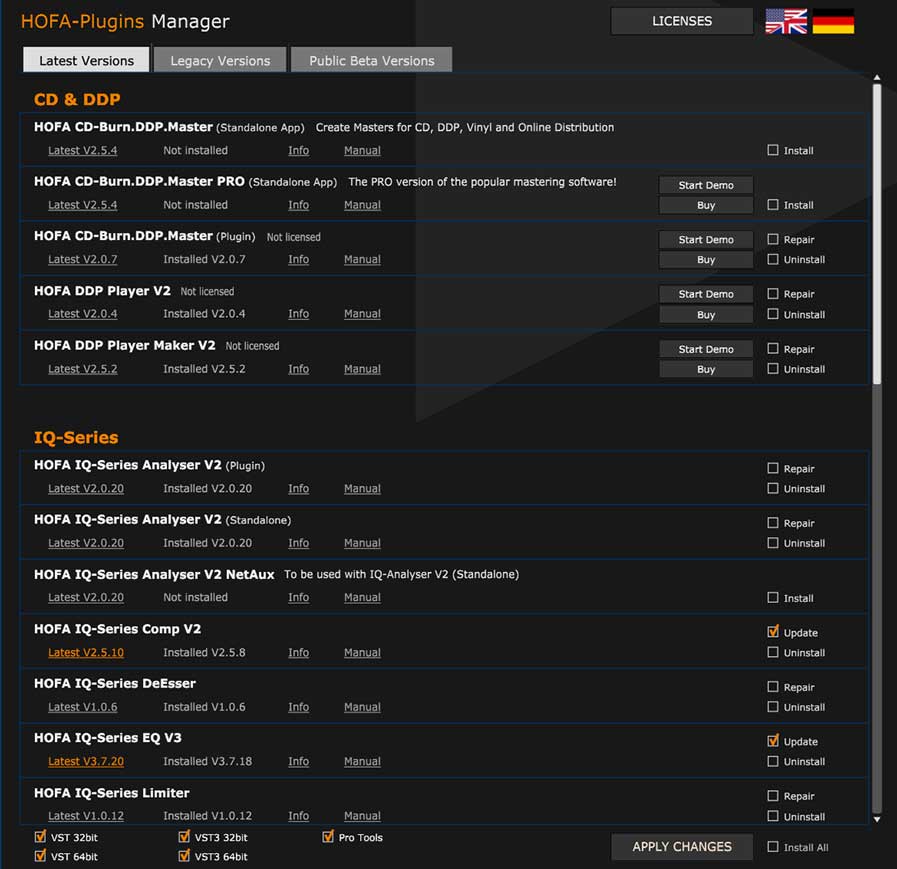
The HOFA Plugins Manager allows you to:
- Install all plugins, software and freeware from HOFA
- Start 14-day demos of commercial plugins
- Activate and deactivate purchased licences
System Requirements
Windows: Windows 10 and later
Mac: OS X 10.13 and later, Intel (64 Bit) and Apple Silicon
Important information on activating HOFA plug-ins and software
- HOFA plug-ins and software can be activated and used on two computers at the same time.
- A description of the activation process is available here.
- A description of the deactivation process is available here.
- You can activate a USB stick for computers without internet connection and use it like a dongle. You can
find out how here.
Download HOFA-Plugins Manager
Please enter your email address here to get the download.
Online
You are currently viewing a placeholder content from Vimeo. To access the actual content, click the button below. Please note that doing so will share data with third-party providers.
More InformationOffline (For computers without internet access)
You are currently viewing a placeholder content from Vimeo. To access the actual content, click the button below. Please note that doing so will share data with third-party providers.
More InformationSupport | Email: [email protected]
Have fun with your products.
Your HOFA-Plugins Team