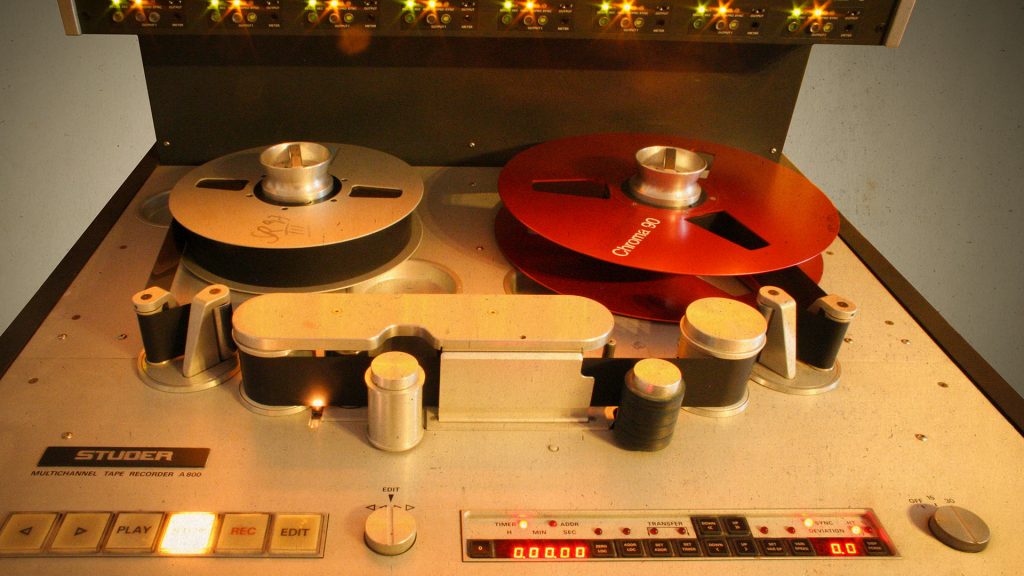
Saturation is one of the most valuable tools in modern music production – yet it is widely underrated. When used correctly, it can add analog warmth, punch, and more strength to a mix, and can even work a bit like a compressor.
This article explains
- what saturation actually is,
- what types of saturation there are,
- how to use them specifically in your mix
- and what you need to bear in mind if you want your mix to sound not ruined, but rich.
1. What is saturation?
The term saturation has its origins in the analog world:
- tape machines,
- tube amplifiers,
- mixing consoles & outboard gear
were slightly overdriven at higher levels. The signals were not hard clipped but compressed and enriched with harmonic overtones.
This has several effects:
- The signal appears louder and denser, even without a higher peak level.
- Additional overtones create warmth (especially in the mids).
- Transients are slightly softened – the sound feels rounder and more ‘finished’.
In the digital domain, things are different: in a DAW, signals are simply hard-clipped and sound unpleasantly distorted when going above 0 dBFS. Therefore, saturation plugins are required to specifically replicate analogue behaviour.
2. The importance of saturation in the mix
Especially with in-the-box productions, tracks can quickly sound:
- too sterile,
- too thin
- or too hard and harsh.
Focused saturation helps you to…
- bring vocals forward,
- give drums and bass more punch,
- ‘glue’ mix buses and groups
- and increase the perceived loudness.
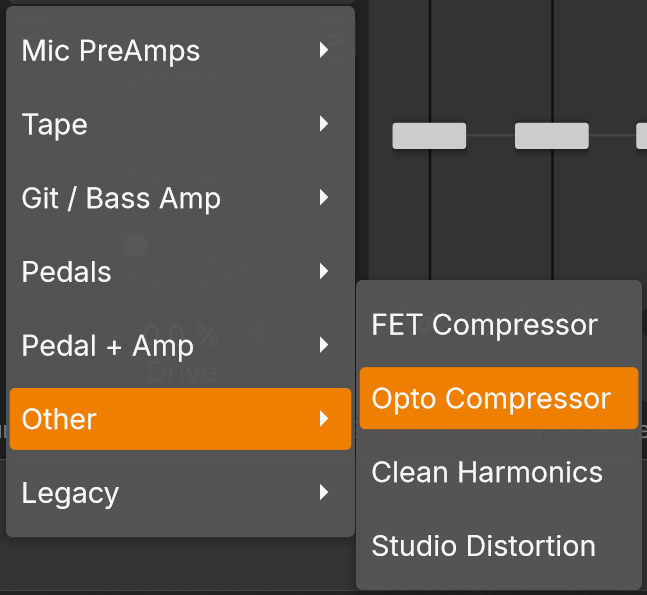
Modern saturation plugins such as the HOFA Colour Saturator take things even further and use sophisticated algorithms to model various analog characteristics (e.g. tape, tube, solid state, etc.), giving you access to a wide range of tonal colours in a single plugin.
3. The main types of saturation
Tape saturation
- Soft, round sound
- Slight compression of the high frequencies
- Subtle gluing of transients
- Great for: drum bus, mix bus, guitars, vocals

Tube saturation
- Often emphasises overtones in the mid frequencies
- Can range from very subtle to significantly distorted
- Ideal for: Vocals, bass and leads that need a little character

Transistor / mixing console saturation
- More direct and cutting than tube
- Adds punch and presence without softening the sound
- Great for: drums, percussion, buses

Hybrid & creative algorithms
Modern plugins often combine several techniques or offer extreme distortion, even fuzz. This allows you to:
- Use aggressive parallel saturation,
- Create LoFi and effect sounds,
- Do sound design.
The HOFA Colour Saturator, for example, offers various algorithms in a single plugin, allowing you to quickly switch between subtle saturation and radical distortion – ideal for creative mixing solutions.
4. The main parameters for saturation plugins
Drive / input / amount
- Controls the amount of saturation applied to the signal.
- Increase the drive for more harmonics, compression, and distortion.
- Tip: start with a subtle drive and gradually increase.
Output / level
- Since saturation often sounds louder, you need an adjustable output level to compensate for the difference in volume.
- This allows you to objectively compare whether the sound is really better or just louder.
- The HOFA Colour Saturator, however, features a built-in volume compensation, so you rarely need to manually adjust the output control.
Mix / dry-wet (parallel saturation)
- Mixes processed (wet) and unprocessed (dry) signals.
- Perfect for adding just a touch of heavy saturation, e.g. to drums or vocals.
- Easily controlled in the HOFA Colour Saturator with the dedicated dry/wet control.
Filter (high/low-cut) & tone control
- With low-cut, you can clean up the bass range before or after saturation so that the low end stays clean.
- A high-cut can soften harsh high frequencies.
- The Colour Saturator also offers tone or tilt functions to control the overall frequency balance.
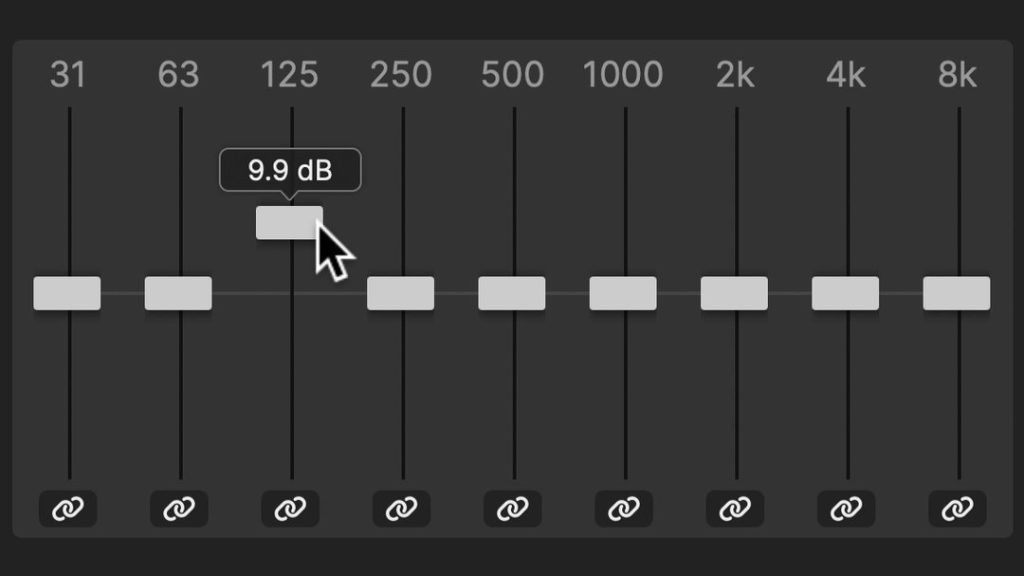
5. Frequency-dependent saturation – the ‘secret toolbox’
It gets particularly exciting when you saturate specific frequencies:
- More punch in the mid frequencies,
- but a clean bass
- and controlled treble.
To do this, you need a plugin that can control the distortion for each frequency band. The BiasEQ© in the HOFA Colour Saturator is designed to do just that: You can apply more or less saturation to specific frequency ranges. Examples:
- Vocals: slight saturation in the low mids, clean high frequencies -> denser, but still open.
- Drums: add more drive to snare & toms in the mid range, keep the bass range of the kick and the cymbals cleaner.
- Bass: saturation in the upper mid range, sub-bass mostly clean -> the bass remains audible on small speakers without distorting the low end.
This gives you much more control than a single, wide-band saturation control.
6. Practical application: How to use saturation in your mix
Vocals: More presence and density
- Apply a saturation plugin after basic processing (EQ, compressor).
- Select a ‘musical’ algorithm (e.g. Tube or Desk).
- Turn up the Drive until the vocals are clearly in the foreground – depending on your taste.
- Use the bias EQ to subtly saturate only the low mids, for example.
- Optional: Use the mix control to mix in only 30–60% wet.
Result: The vocal tracks fit better into the mix without making them louder.
Drums: Punch and character
Drum bus saturation is a true classic.
Procedure:
- Route your drums to a drum bus.
- Insert a saturation plugin with tape or solid state, for example.
- Slowly increase the drive until the kick and snare drums have more body and punch.
- Make sure that the low end doesn’t get muddy – if necessary, reduce the bass range in the bias EQ or with a low-cut filter.
- With the mix control, you can apply stronger saturation and mix in only 20–40% wet (parallel mode).
With a plugin such as the HOFA Colour Saturator, you can also:
- add more saturation to snares and toms,
- leave cymbals and hi-hat largely clean,
- and use Wow & Flutter or Noise to create vintage or lo-fi drum sounds.
Bass: Punch without the mud
What to aim for with the bass:
- Stable and clean low-end,
- Tight and present high-end.
Here’s how it works:
- Use an algorithm that handles low end well (Tape or Tube).
- Add as much saturation as your sound needs. For a hard rock production, you can add a bit more.
- Use frequency-dependent control (e.g. BiasEQ©) to
- reduce the saturation of the sub and low bass,
- and boost the upper mids a bit more.
- This will make the bass audible even on small speakers without the sub range crashing.
Mix bus & master: Subtle glue instead of destruction
Caution is advised on the mix bus – here, mistakes affect the entire mix.
Recommendation:
- Use only subtle tape or desk saturation.
- Drive only to the extent that the mix appears minimally denser and louder, but not audibly distorted.
- Always compare with bypass and adjust the volume.
- Use very cautiously in mastering – many engineers prefer to saturate individual tracks or buses and only use small amounts on the master.
7. Creative saturation: More than just ‘warmth’
Saturation can be an effect, too:
- Lo-fi sounds with heavy drive and high cut.
- Automated drive for transitions and builds.
- Extreme fuzz settings as a sound design tool for synths, FX or even drums.
The HOFA Colour Saturator includes the following features:
- Noise, Crackle, Hum for authentic vintage textures,
- Wow & Flutter for tape fluctuation,
- many different algorithms ranging from subtle to extreme,
- and BiasEQ© for precise creative modifications.
8. Conclusion: Saturation as a key factor in modern, professional mixes
Saturation is:
- Sound colouring,
- dynamic processing,
- loudness booster,
- and a creative sound design tool all in one.
With a flexible plugin like the HOFA Colour Saturator, you have:
- Various saturation models (Tape, Tube, Desk, Amps, Hybrid, etc.)
- A powerful BiasEQ© for frequency control of distortion
- Additional tools such as Dynamics, Tone, Noise, Crackle, Hum, Wow & Flutter
- And a Dry/Wet mixer for effortless parallel saturation.
This allows you to accomplish exactly what this article was about:
controlled, musical saturation that makes your mix sound more modern, powerful and professional – from subtle analogue warmth to creative destruction.
You can find more info on the HOFA Colour Saturator here:
https://hofa-plugins.de/en/shop/colour-en/colour-saturator/